Comerciante y su familia fueron asaltados y tomados de rehén por grupo armado en Natalio

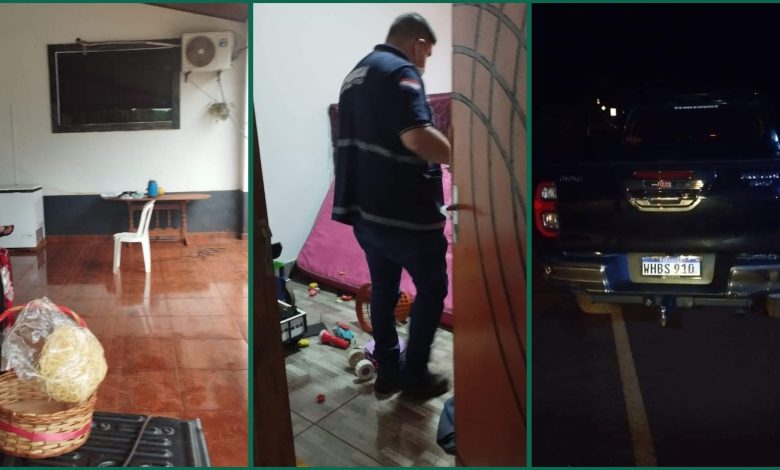
Una gavilla de marginales durante la madrugada de este domingo irrumpió en una vivienda ubicada en el barrio El Progreso Triunfo, km 01 en el distrito de Natalio, Itapúa.
Cuatro delincuentes encapuchados y con arma de fuego en mano, redujeron a toda una familia que se encontraba descansando en el interior de la vivienda. En todo momento los asaltantes exigían la entrega de dinero, apoderándose de una elevada suma, de habla al menos de unos 50.000.000gs.
Minutos después los delincuentes abordaron dos rodados para darse a la fuga, ambos propiedad de Diego Marcelo Méndez Jara, uno sería un automóvil Toyota modelo Allion y otro, una lujosa camioneta de la marca Toyota modelo Hilux, en este último trasladaron a las víctimas (La pareja, y sus tres hijos menores).
Tras el grave hecho, el personal policial jurisdiccional fue alertado a través del sistema 911, donde mediante la rápida reacción, al constituirse al lugar del hecho, se cruzaron con los vehículos donde iban los asaltantes, allí empezaron a seguirlos, al alcanzar la rotonda de la localidad de Yatytay, los malvivientes se percataron de la presencia policial efectuando disparos contra los mismos, luego abandonaron la lujosa camioneta dejando en libertad a las víctimas, mientras los marginales abordaron otro rodado para huir hacia la zona de San Rafael del Paraná.
Se convocó a personal del Dpto de Investigaciones, y de Criminalística para el procedimiento de rigor, prosiguen las averiguaciones con relación al grave hecho.