Salud registra aumento de cuadros respiratorios: Los virus que predominan y consejos

El Ministerio de Salud informó que unas 18.238 consultas por gripe a nivel país se reportaron al cierre de la semana epidemiológica. Actualmente se identifica un predominio en la circulación del virus SARS-CoV2, seguido de Rhinovirus.
En el cierre de la semana epidemiológica hubo 18.238 consultas por cuadros respiratorios, representando un incremento del 40% con relación a las notificaciones registradas la semana anterior, según el Ministerio de Salud, que insta a la ciudadanía a redoblar los cuidados.
De acuerdo con un informe de la entidad estatal, se contabilizaron 1.714 hospitalizados por infecciones respiratorias agudas graves, de los cuales, 152 corresponde a los hospitalizados de la última semana; el mayor porcentaje de internados se posiciona en la franja adulta.
Entre los hospitalizados de la última semana los grupos más afectados son los extremos de la vida, siendo menores de 2 años y mayores de 60 años.
De acuerdo con el reporte actualizado, el Covid es actualmente el virus predominante entre los pacientes hospitalizados por infecciones respiratorias agudas, seguido del Rhinovirus, Parainfluenza, Influenza B y Virus Sincitial Respiratorio.
Advierten que la dosis anual de la vacuna contra el Covid-19 y la influenza es clave para reducir el riesgo de hospitalizaciones y muertes asociadas.
Así también, es importante mantener al día el esquema de vacunación regular de los niños, sobre todo en los menores de 5 años.
A tener en cuenta los síntomas
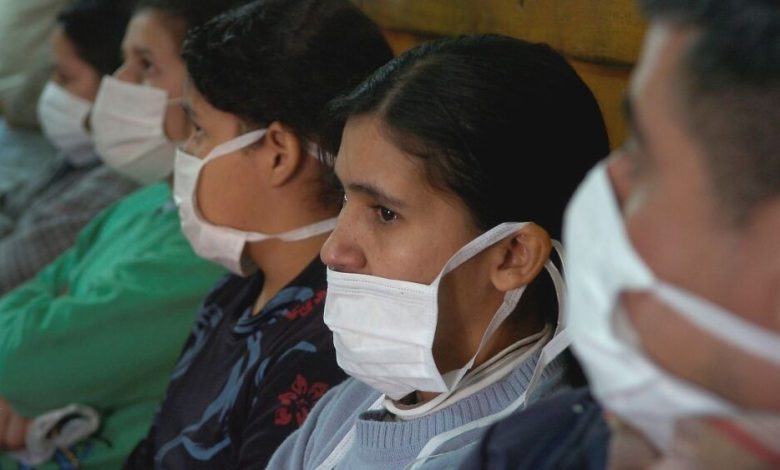
Ante la presencia de síntomas respiratorios (tos, dolor de garganta u otro) usar mascarilla, acudir a la consulta médica oportuna, a fin de contar con un diagnóstico, determinar el virus y recibir el tratamiento correspondiente, y cumplir con el reposo para impedir la propagación del virus.
El reporte semanal señala que a nivel país se confirmaron 366 casos de Covid, lo que refleja un aumento del 73%, con respecto a la semana anterior.
Los casos registrados proceden de 16 regiones del país, el 76% es del área Metropolitana: en Asunción (39%) y en Central (37%).
Además, se registraron 45 hospitalizados en sala y 3 ingresaron a la unidad de cuidados intensivos. La mayor carga de internados se observa en el grupo etario de menores de 5 años (18%) y en adultos mayores de 60 años (36%). No se confirman fallecidos por la enfermedad.
Medidas de prevención
Los profesionales recomiendan el uso de mascarilla ante síntomas respiratorios. También es clave su utilización al acudir a los establecimientos de salud.
Aclaran también que la mascarilla no debe retirarse al momento de toser o estornudar, sino cubrir la boca y la nariz con un pañuelo.
En caso de no contar con pañuelo, cubrirse al toser o estornudar con la flexura interna del codo, nunca con la mano, de manera a disminuir la dispersión de gotitas y aerosoles, así como la contaminación de superficies.
Lavar las manos de forma correcta y frecuente. Ventilar los ambientes. Evitar el contacto con personas con síntomas respiratorios.