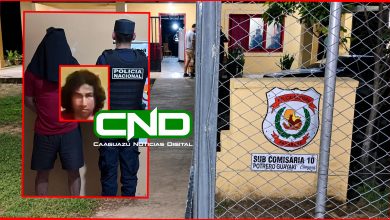
Detienen a hombre que contaba con orden de captura por robo agravado en Repatriación


Agentes policiales de Investigaciones de Caaguazú lograron capturar a un hombre que contaba con orden de captura por un supuesto hecho de robo domiciliario ocurrido el pasado 26 de noviembre en la comunidad de 1ra. Línea Eugenio A. Garay de Repatriación. El hombre fue detenido en vía pública del barrio Industrial ll de Caaguazú. En el sonado caso, una adolescente también fue abusada por los delincuentes.
Se trata de Miguel Angel Portillo Peralta (35), apodado ESCAMOSO, domiciliado en la Colonia Guyraungua de Juan Manuel Frutos, quien posee varios antecedentes policiales. Del poder del mismo fue incautado la suma de 1.460.000 gs. además de un aparato celular.
DELINCUENTES ASALTARON Y ABUSARON DEBUNA DE LAS VICTIMAS
Según los datos, el mismo es investigado por un grave hecho ocurrido un martes 26 de noviembre en la vivienda ubicada en la Compañía Eugenio A. Garay de Repatriación, donde según el relato de la víctima, una mujer de 60 años, alrededor de las 20:30 hs. llegó hasta su domicilio un automóvil de la marca Toyota, modelo Allion de color perla, del cual descendieron tres sujetos a cara descubierta, con arma blanca en mano, y empezaron a agredir y maniataron a los presentes.
Los delincuentes se habrían alzado con la suma de 1.450.000 gs., propiedad de la dueña de casa, además de una motocicleta de la marca Kenton, GTR 150, de color azul, y un Aparato Celular de la marca Redmi de color azul, propiedad de un joven de 20 años, y un aparato celular de la marca Redmi de color negro, propiedad de una adolescente de 17 años, quien fue posteriormente abusada sexualmente por uno de los delincuentes.
Los tres delincuentes se habrían a dado a la fuga tras cometer el hecho según la denuncia presentada en sede policial.