La próxima semana comienza el desembolso para cubrir los sueldos, jubilaciones, pensiones, aguinaldos de 668.862 personas, según anunció el Ministerio de Economía y Finanzas. El calendario de pagos ya está fijado.
De los 668.862 beneficiarios de este dinero, 76.665 son funcionarios administrativos, 49.496 pertenecen a las Fuerzas Públicas, 95.707 son docentes, 52.750 funcionarios de Salud, 74.936 jubilados, herederos y pensionados y 319.309 del programa Adultos Mayores.
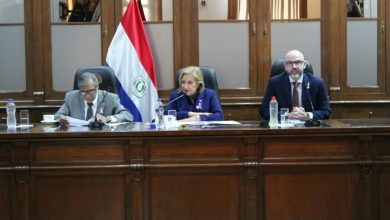
“Estamos acompañando de cerca la muy buena gestión de la DNIT (Dirección Nacional de Ingresos Tributarios), que nos permite adelantar y garantizar el pago de todo lo que depende de los ingresos tributarios”, dijo en conferencia de prensa el viceministro Óscar Lovera.
Los 567 millones de dólares, equivalentes a 4,5 billones de guaraníes, son financiados con Recursos del Tesoro Fuente 10 y Recursos Propios Fuente 30.
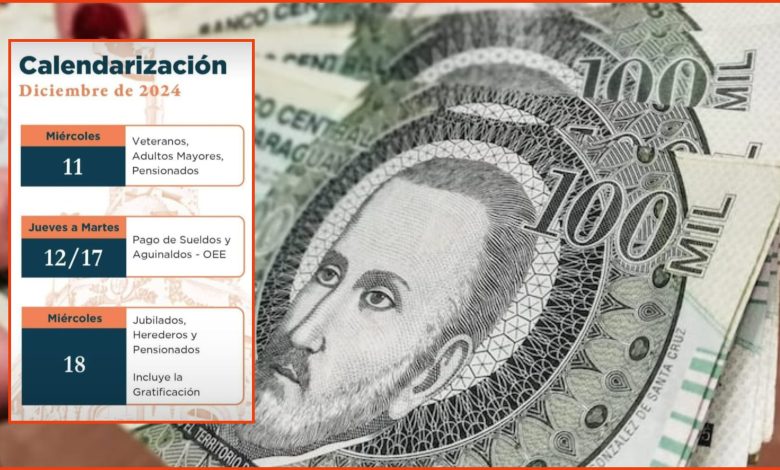
El calendario de pagos es el siguiente:
Miércoles 11 de diciembre: veteranos, adultos mayores y pensionados
Del jueves 12 al martes 17: sueldos y aguinaldos a los organismos y entidades del estado.
Miércoles 18 de diciembre: Jubilados, herederos y pensionados, incluyendo la gratificación.
Se solicitó al Ministerio del Interior el refuerzo y la custodia de los puntos de pago, teniendo en cuenta la elevada cantidad de dinero circulante desde la próxima semana.