Fallece Don Virgilio Dávalos, uno de los últimos excombatientes de la Guerra del Chaco

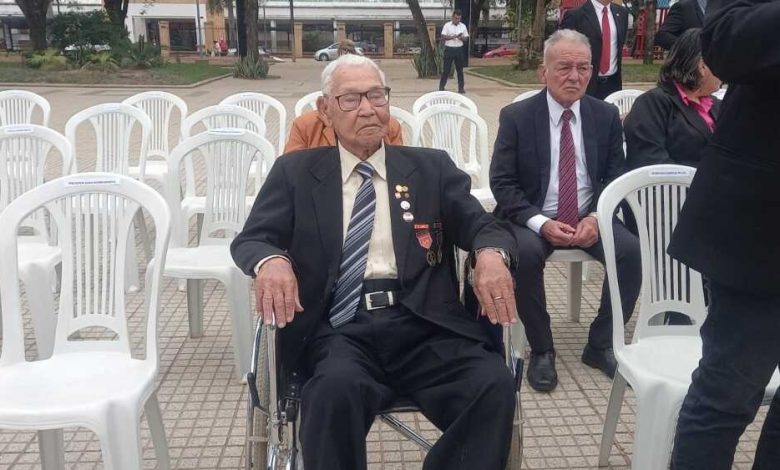
Don Virgilio de 111 años era una de los últimos tres excombatientes de la Guerra del Chaco vivos y residía en el Departamento de Caaguazú.
El año pasado, el Congreso Nacional le entregó una placa y una declaración de reconocimiento por papel clave en las tareas logísticas en el frente de batalla.
Lea más: A sus 110 años, ex combatiente revive su sacrificio en el campo de batalla de Boquerón
Posteriormente fue destinado a la marina, desde donde navegó el río Pilcomayo para realizar inspecciones en la zona de conflicto, y más adelante combatió en la unidad “10 Sauce”.
Don Virgilio dio testimonio de muchas de la hazañas de los soldados paraguayos a diferentes medios, como la desventaja en cuanto a armamentos, municiones y número de hombres, por lo que recordaba la inteligencia y estrategias para emboscar a los convoyes y bases bolivianas en peleas encarnizadas con machetes y bayonetas.
También mencionaba la escasez de agua y comida, donde un vaso de cocido y cuatro galletas era la única comida del día.
Sus hermanos mayores Máximo y Narciso Dávalos también sobrevivieron a la Guerra del Chaco, pero murieron antes que él.
Los detalles sobre el sepelio y el entierro se darán a conocer en las próximas horas, según informaron desde el Ministerio de Defensa.
La guerra del Chaco entre Bolivia y Paraguay se desarrolló entre el 9 de septiembre de 1932 y el 12 de junio de 1935